
Capturing life’s precious moments is now easier with digital photography. At the center of this technology are memory cards, like SD cards. They are the main storage for your photos.
The number of photos you can store on these digital storage devices varies a lot. It depends on the card’s size, your camera’s resolution, and the photo file type. You can store from less than 100 to over 300,000 photos.
Choosing the right memory card is key for photographers. It affects how you store and access your photos. Knowing how these cards work and picking the right one is vital for smooth photography.
For both casual and professional photographers, reliable photo storage is very important.
Understanding Memory Cards and Their Types
Memory cards vary in shape, size, and capacity. Knowing these differences is important for making the right choice. The SD card, or Secure Digital card, is the most common. It’s used in cameras and other devices.
SD cards come in many storage capacities, from 8GB to 1TB. You’ll find options like 8GB, 16GB, 32GB, 64GB, 128GB, 512GB, and 1TB. The right capacity depends on your camera’s resolution and photo type. For example, high-resolution cameras or those for burst mode need more storage.
Choosing a memory card also means picking the right type of SD card. There are SD, SDHC, and SDXC types. SDHC cards have more storage than standard SD cards. SDXC cards offer even more, perfect for high-resolution photos and 4K video.
Knowing about the different Memory Card Types and Storage Capacity helps you pick the best card. This ensures you have enough space for your photos without wasting room or slowing down your device.
Choosing the Right Memory Card for Your Needs
Finding the right memory card can really improve your photography. But, how do you pick the best one for you? Choosing the ideal memory card means knowing a few key things. These things affect how well your camera works and how happy you’ll be with it.
First, think about your camera’s resolution. Cameras that take higher resolution photos need bigger memory cards. For example, a 4K camera will use more memory than a lower resolution one.
Camera Resolution and File Format
The file format you use also matters a lot. JPEGs are smaller than RAW files because they have less data. So, if you shoot in RAW, you’ll need a bigger memory card.
A photography expert once said,
“The choice between JPEG and RAW isn’t just about file size; it’s about the level of detail and flexibility you need in post-processing.”
Another thing to think about is compression settings. Some cameras let you change how much compression is used. Less compression means bigger files, so you’ll need a bigger memory card for that.
In short, choosing the right memory card means looking at your camera’s resolution, your preferred file format, and your compression settings. Knowing these things helps you make a choice that will make your photography better.
How to Properly Insert a Memory Card
To add more storage to your device, you need to know how to insert a memory card right. This step is key to make sure your device sees the card and to prevent damage.
First, find the memory card slot on your device. For phones like an Xperia, you might need to take out the SIM card tray or find a special slot. Once you find it, push the memory card in until it clicks. Make sure the label is facing up.
After putting in the memory card, you must set up your device to use it. For example, on an Xperia, tap the Settings icon, then “Data storage,” and pick the SD card for photos and videos.
Tips for Successful Insertion: Make sure the memory card fits right with the slot to avoid damage. Also, use the right type of memory card for your device.
Setting up your device to use the memory card increases storage and organizes files better. By following these steps, you’ll have a smooth SD Card Installation and enjoy more storage on your device.
Best Practices for Storing Photos on Memory Cards
Storing photos on memory cards can be easy if you follow a few simple steps. Start by organizing your photos into folders. You can use the date, event, or any other way that makes sense to you.
It’s a good idea to label your memory cards. This makes it easier to find a photo when you need it. Labeling also helps keep your cards organized, which is important if you have many.
Don’t forget to back up your photos regularly. Moving them to an external hard drive or cloud storage is a good idea. This keeps your photos safe even if your memory card gets lost or damaged.
Managing Storage Space
It’s also key to manage your memory card’s space well. Check your photos often and move them to your backup storage. This frees up space and keeps your photos safe in more than one place.
By following these tips for storing photos on memory cards, you can keep your memories safe and easy to find. These practices are useful for both professional photographers and hobbyists.
How to Safely Remove a Memory Card
Removing a memory card safely is easy and key for keeping your data safe. When you’re done, it’s important to take it out right to avoid losing or messing up your data.
To safely take out a memory card, first eject it through your device’s operating system. You’ll need to click on “Safely Remove Hardware” or “Eject.” This makes sure all data is moved and the card is ready to be taken out.
Once ejected, you can then physically remove it from the slot. It’s important to handle memory cards carefully to avoid damage to the card or your device.
Safe ejection is key because it stops data from getting messed up. It also keeps your memory card working well. By following this simple step, you protect your data and make your memory card last longer.
In short, safely removing a memory card is a two-step process. First, eject it through your device’s system. Then, take it out physically. This keeps your data safe and your memory card healthy.
Tips for Maintaining Your Memory Card
Proper care and handling of your memory card can significantly extend its lifespan. It’s important to handle memory cards with care. Avoid physical shocks and bending.
Avoid Extreme Temperatures: Keep your memory card away from extreme temperatures. High temperatures can damage the card’s internal components. Low temperatures can affect its performance.
When not in use, store your memory card in a protective case. This prevents physical damage and dust accumulation. Regularly cleaning the memory card’s contacts with a soft cloth also helps maintain its performance.
By following these simple tips for Maintaining Memory Card health, you can ensure your data remains safe. Your card will continue to function effectively. This practice is part of good Memory Card Care.
Transferring Photos from Memory Card to Computer
After taking your photos, it’s time to move them to your computer. This step is key to free up space on your memory card. It also keeps your photos safe and ready for editing.
There are two main ways to move photos: using a card reader or connecting your camera to the computer. Using a card reader is faster and doesn’t use your camera’s battery.
To use a card reader, take out the memory card from your camera. Put it into the card reader on your computer. Your computer will see the memory card as a device. Then, you can move the photos to your computer by copying or dragging them.
You can also connect your camera directly to the computer with a USB cable. Most cameras can do this. When connected, your computer will find the camera. You can then move the photos using the camera’s software or your computer’s file explorer.
“The best way to get started is to stop talking and begin doing.” – Walt Disney. This quote fits well with transferring photos. Taking action to manage your digital files is the first step to staying organized.
It’s important to check that the photos are moved correctly before deleting them from your memory card. This makes sure your photos are safe on your computer.
By following these steps, you can easily move your photos to your computer. This makes them safe and ready for editing and sharing.
Recovering Lost Photos from a Memory Card
It’s good to know you can get back lost photos from a memory card. You can do this with the right tools and methods. Whether you deleted photos by mistake or they got lost due to damage, there are ways to get them back.
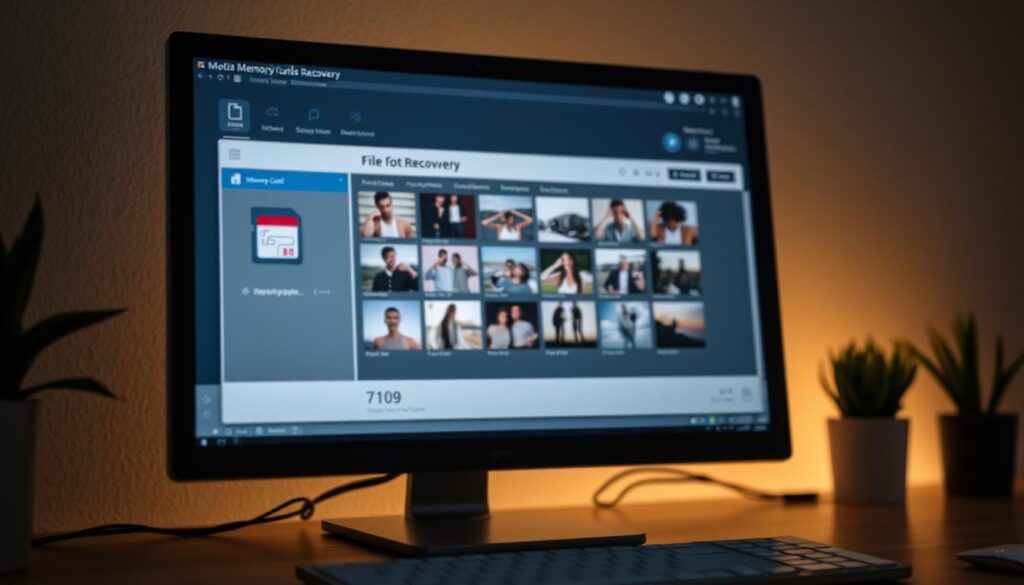
Using data recovery software is a top way to get back lost photos. These tools scan your memory card, find files you can get back, and save them for you. It’s key to pick a trusted software to avoid losing more data.
When picking data recovery software, look for ones that work with your memory card and are easy to use. Recuva, Disk Drill, and Stellar Data Recovery are good choices. Always follow the software’s guide to increase your chances of getting your photos back.
There are also steps you can take to avoid losing photos in the future. Backing up your photos on a computer or in the cloud is a good idea. Also, be gentle with your memory card to avoid damage and data loss.
Formatting your memory card can also help, but make sure to back up your photos first. Formatting will erase everything on the card. By following these tips, you can lower the chance of losing your photos.
Getting back lost photos from a memory card needs the right tools and careful steps. By knowing how to recover photos and taking steps to prevent loss, you can keep your memories safe.
Troubleshooting Memory Card Issues
Fixing memory card problems is key to keeping your photos safe and easy to find. Memory cards can sometimes act up, not being seen by devices being a common issue.
Start by checking if the memory card is in right. A simple reinsertion might fix it. If not, try cleaning the contacts on the card with a soft cloth. Dirt or corrosion can stop the card from being read.
Another issue is using a card reader that doesn’t work with your card. Try a different card reader or plug the device straight into your computer. This can show if the problem is with the reader or the card.
Common Memory Card Issues
Common problems include cards not being seen, files getting messed up, or the card being unreadable. Most of these can be fixed with simple steps.
If your card isn’t recognized, test it in another device. If it works there, the problem might be with the first device’s reader or compatibility. For messed up files, data recovery software can often get your photos back.
Regular checks and proper care of your memory card can avoid many issues. Knowing how to fix these problems helps keep your photos safe and easy to get to.
The Future of Memory Card Technology
Technology keeps getting better, and memory cards are no exception. We can expect to see bigger storage, faster speeds, and more durability. Soon, you’ll be able to store even more photos and videos on one card.
Transferring files and looking at photos will get a lot quicker. Memory cards might also have better security and work with more devices. They’ll be more resistant to things like heat and humidity too.
Companies like SanDisk and Lexar are always finding new ways to improve memory cards. As people need more storage and speed, we’ll see even more amazing tech. The future of memory cards will meet the needs of photographers and videographers who need to store their work.