

In today’s world, our lives are closely tied to our mobile devices. We use them for everything from banking to social networking. This makes smartphone safety very important.
As mobile use grows, so does the risk of mobile security breaches. Cyber threats are getting smarter, threatening our personal data. It’s key for users to protect their devices.
Knowing the risks and how to avoid them helps us use our mobiles safely. We need to stay updated on security threats and follow mobile security best practices.
Understanding the Risks of Smartphone Use
Smartphones are very convenient but also come with big risks. 200,000 devices are lost, stolen, or damaged every day. This means a lot of chances for data theft and other bad stuff.
One big worry is losing or having a phone stolen. This can let someone get into your personal stuff. This includes your contacts, messages, and even your bank info and passwords.
Malware attacks are another big risk. This bad software can get on your phone through apps or links. Once it’s there, it can steal your data, watch what you do, and even demand money to unlock your phone.
Data theft is a huge problem because phones have so much personal info. Keeping this info safe is key to avoiding identity theft and losing money.
Knowing about these mobile threats is the first step to fighting them. By understanding the risks, you can protect your phone and your data.
Tips for Securing Your Smartphone
Securing your smartphone is key in today’s digital world. Smartphone security tips are more important than ever. With more people using mobile devices, protecting your phone from threats is vital.
Managing your passwords well is a basic mobile best practice. Use a mix of letters, numbers, and symbols to boost security. Also, turn on two-factor authentication to make it harder for others to get into your phone.
When downloading apps, safety first. Stick to trusted stores like the Apple App Store or Google Play Store. They check apps for safety. Be wary of apps that ask for too many permissions; it might be a bad sign.
Keeping your device and apps up to date is also key. Updates fix security holes found after the last update. Backing up your data regularly is smart too. It keeps your info safe if your phone gets lost or stolen.
Device Tracking and Additional Measures
Turning on device tracking can save your phone if it’s lost or stolen. “Find My iPhone” for iOS and “Find My Device” for Android let you track, lock, or erase your phone remotely.
Be careful with public Wi-Fi. Don’t use it for sensitive stuff, as it’s not secure. A VPN can encrypt your internet, making it safer to browse.
By following these smartphone security tips and mobile best practices, you can make your phone much safer. This protects your personal data and makes your mobile experience safer.
Keeping Your Software Up to Date
Keeping your smartphone secure is easy if you keep its software current. Updates often include security patches that block known threats. This makes it tough for hackers to find weaknesses in your device’s system.
Updates do more than just fix security issues. They also make your phone work better and faster. By updating regularly, you get the newest security features and bug fixes.
Make sure your phone and apps update automatically. This way, you get the latest security patches right away. It’s a simple step that greatly boosts your phone’s security.
Safe Browsing Practices on Your Smartphone
Safe browsing on your smartphone is more than just avoiding bad websites. It’s about keeping your mobile experience secure.
Identifying and avoiding malicious websites is key. These sites might look real but can steal your data or install malware. Always check the URL and be cautious of sites that ask for sensitive info.
Downloading apps from unknown sources is risky. Always get apps from trusted stores like Google Play or Apple App Store. These stores check apps for safety before you download them.
“The biggest threats to mobile devices are often the users themselves, through actions like downloading malicious apps or clicking on phishing links.”
Choosing a secure browser is important too. Look for browsers with features like phishing protection and sandboxing. Make sure to update your browser regularly for the latest security.
Lastly, be careful with links and attachments from unknown sources. Don’t click on suspicious links or download attachments from unexpected emails or messages. They might be phishing attempts or malware installers.
Choosing Reliable Apps
When it comes to smartphone security, picking trustworthy apps is key. With so many apps out there, it’s important to be careful. This ensures your device stays safe.
Start by checking an app’s permissions. Apps often need access to your phone’s features, like contacts or location. Be careful if an app wants access you don’t think it needs. For example, a game asking for your contacts might be a warning sign.
Reading reviews is also essential. Reviews can tell you a lot about an app’s quality and safety. But watch out for fake reviews. Look for patterns and check the overall rating. Apps with high ratings and lots of reviews are usually safer.
It’s also important to know the risks of certain apps. Apps that deal with sensitive info, like money or personal details, need extra attention. As a cybersecurity expert,
“The key to app security lies in understanding the permissions you grant and being cautious with the information you share.”
By being careful and following these steps, you can make your phone safer. Always be cautious when downloading new apps.
Practicing Safe Public Wi-Fi Use
Public Wi-Fi is handy but full of cyber dangers. It can put your smartphone’s security at risk. When you use public Wi-Fi, hackers might steal your data or spread malware.
To stay safe, turn off Wi-Fi when not in use. This simple step blocks unauthorized access. Also, use a Virtual Private Network (VPN) for public Wi-Fi. A VPN encrypts your internet, making it hard for hackers to get your data.

Be careful with what you do on public Wi-Fi. Don’t log into sensitive accounts or make financial deals unless you must. Check if the website is secure by looking for “https” in the URL.
By knowing these risks and taking steps to protect yourself, you can keep your public Wi-Fi safety high. And you’ll keep your secure connections on your smartphone.
Managing Your Location Settings
Smartphones have many benefits, but they also raise big privacy concerns. Location services help with GPS, reminders, and social media. But, they can also let apps track where you are.
To keep your location settings safe, check which apps use your location. Go to your phone’s settings and change app permissions. Turn off location services for apps that don’t need them. Also, remember that some emergency features use location services to help responders.
It’s key to know how your phone uses location data. Check and manage your location history often. This way, you can use location services without risking your privacy.
Understanding Mobile Security Features
It’s important to know the security features of your smartphone. These features help keep your personal info safe. Smartphones have mobile security features to protect your data and stop unauthorized access.
Biometric authentication is a key feature. It includes fingerprint scanning, facial recognition, and iris scanning. These methods make sure only you can use your device. Security experts say, “Biometric authentication adds an extra layer of security, making it harder for thieves to get your personal data.”
“Biometric authentication is a game-changer in smartphone security, providing a more secure and convenient way to protect user data.”
Smartphones also have encryption, which scrambles data to keep it safe. Another great feature is the remote wipe capability. This lets you erase your data if your device is lost or stolen.
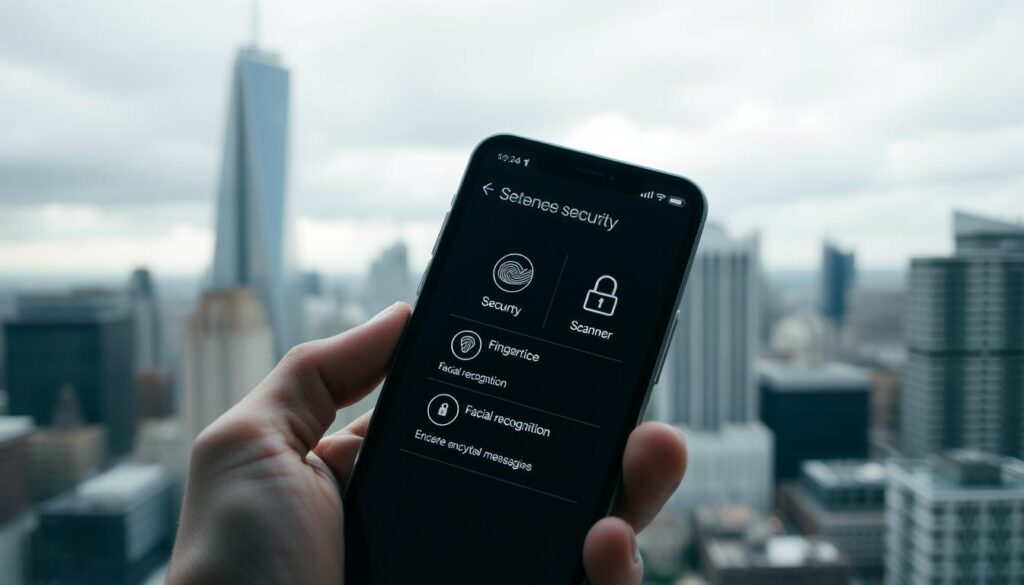
Some phones also have safety features like emergency SOS and medical info storage. These features not only boost security but also give users peace of mind. By using these built-in security features, you can make your smartphone much more secure.
In summary, smartphones have built-in security features to protect you from threats. By using these features, you can keep your personal data safe.
Responding to Security Breaches
Handling a security breach well needs quick action and being ready. First, you must admit the breach and know how big it is.
When you find out about a breach, act fast. Start by changing your passwords for all important accounts. Make sure they are strong and different from each other. This stops others from getting in.
If money info was stolen, tell your banks right away. They can watch your money for odd signs and stop more trouble. They might even give you new cards or change your account details.
It’s also key to know what happened. Find out what info was lost and act right. For example, if personal details were shared, watch out for phishing scams. Also, check your credit reports often.
Key Steps in Incident Response
1. Assess the breach: Know what happened and what data was lost.
2. Secure your accounts: Change passwords and use two-factor authentication if you can.
3. Notify relevant parties: Tell banks and watch your accounts.
4. Monitor for suspicious activity: Keep an eye on your money and personal info.
By doing these steps, you can lessen the harm from a security breach. You’ll keep your personal and financial info safe.
Educating Others about Smartphone Safety
As we deal with smartphone security, it’s key to share what we know. Teaching family and friends about safety is vital. It helps make the internet safer for all.
Teaching others about smartphone safety stops cyber threats. By sharing how to keep software updated and use safe apps, we help others protect themselves online.
Keeping the conversation about smartphone safety alive is important. With new tech coming out, we must stay updated and share our knowledge. Together, we can make the digital world safer.